
The shopping list for the whole household
The shopping list that knows your shop.
Open the fridge, say what's missing – Shopkobel writes it down, sorts it by aisle and learns your way through your shop. Shared lists sync straight over Wi-Fi, and the weekly shop arrives from Cookobel with one tap. No account, no ads – your lists stay on your devices.
Said “shop-ko-bel” – from shop and Kobel, the German word for a squirrel's nest, where it keeps its stores.

No ads
No offers, no brands, no tracking. Just your list.
No account
No email address, no password. Open the app, type, go.
No cloud
Your lists live on your devices. They sync straight over Wi-Fi, encrypted.
No subscription
Free to use. You buy the full version once – for the whole household.
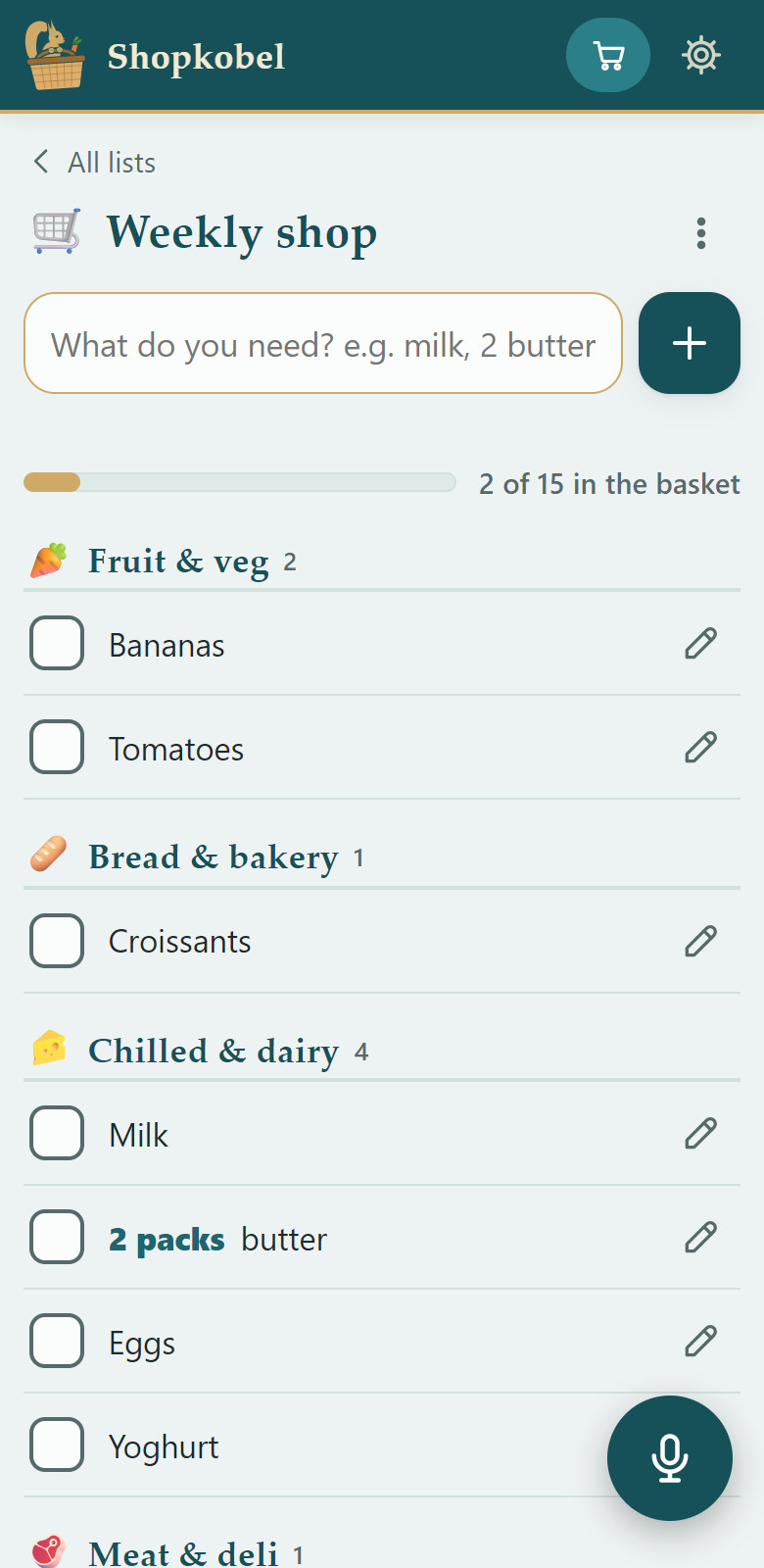
A list for every shop
One list for each shop you go to regularly – supermarket, farmers' market, chemist, bakery, DIY store, car parts. When you shop, the list only shows what you get there, in the order you walk through that very shop.
Recognised at a glance
Every list gets its picture: one of ten shops or your own photo of the shop round the corner – you choose the crop, and can change it later.
Every shop its own route
Each list learns its own order as you tick things off – different in the supermarket than at the market.
Everything lands in the right place
Send the weekly shop from Cookobel to your supermarket list; what you dictate goes into the list you have open.
DIY store with its own range
For the DIY store, workshop, car and bike, Shopkobel has aisles of its own – tools, screws, electrical, car. Wiper blades go to car parts, a hose to the garden – not to the vegetables.
Everything in one press
Press and hold a list: rename it, change its picture, share it or send it to Todokobel as a task – without opening it.
Two shops free
With the full version, as many as you need.
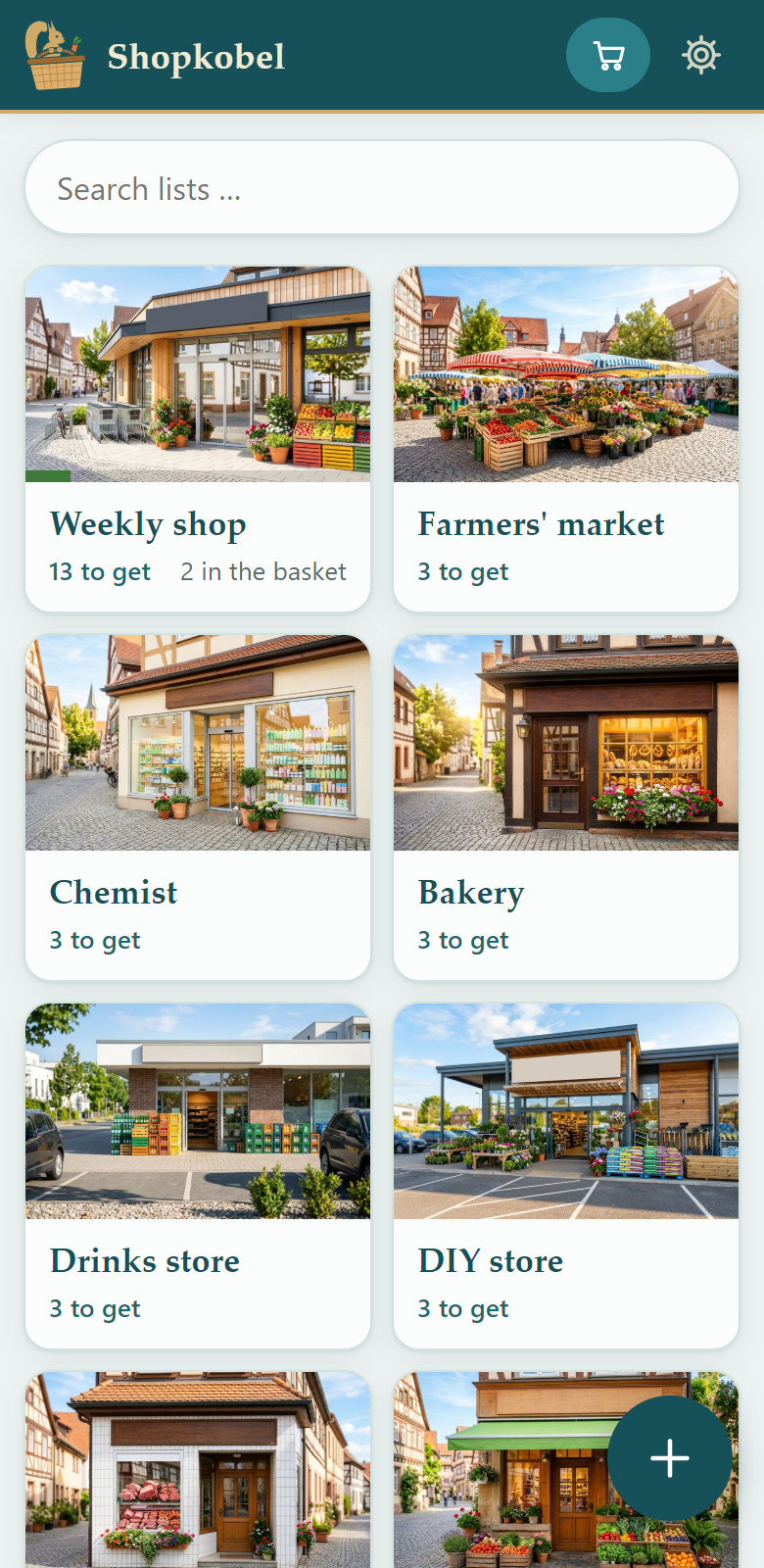
Ten shops to choose from – or your own photo
 Supermarket
 Farmers' market
 Chemist
 Bakery
 Drinks store
 Butcher
 Organic shop
 DIY store
 Car parts
 Bike shop
How it works
Write things down as they come to mind. Shop in the order you walk through the shop.
Open the fridge, say what's missing
- “Lemons”
- “Cucumber”
- “Carrots”
- “Done”
You're standing at the fridge or the cupboard, tap the microphone once and say one item after another. After each one Shopkobel listens again straight away; when you're finished, say “done”. One hand is enough – the other holds the fridge door.
Just say the amount as well: “two packs of butter” goes on the list as 2 packs butter. At the bottom you see what was added, with “Keep talking” and “Undo”.
Several at once works as text too: pasted in or read from a screenshot. Anything already on the list won't be added twice.

Sorted by aisle
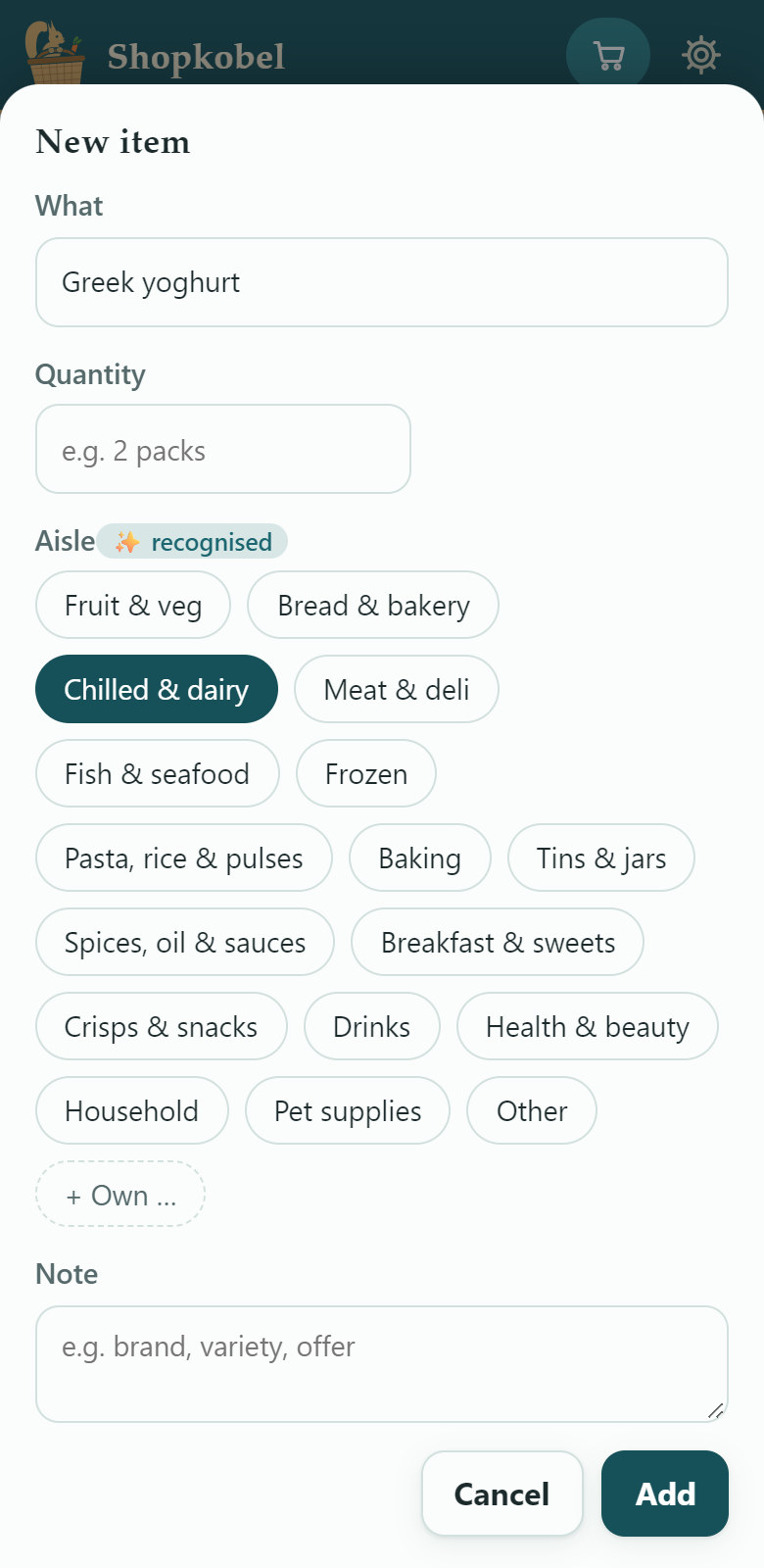
Shopkobel knows more than 8,000 words in English and German – British and American ones alike – and forgives typos. It recognises the aisle while you type, from fruit & veg to toiletries – and in your DIY list from tools to bike parts.
And it keeps learning: move an item to another aisle once, and it remembers.
Learns your shop
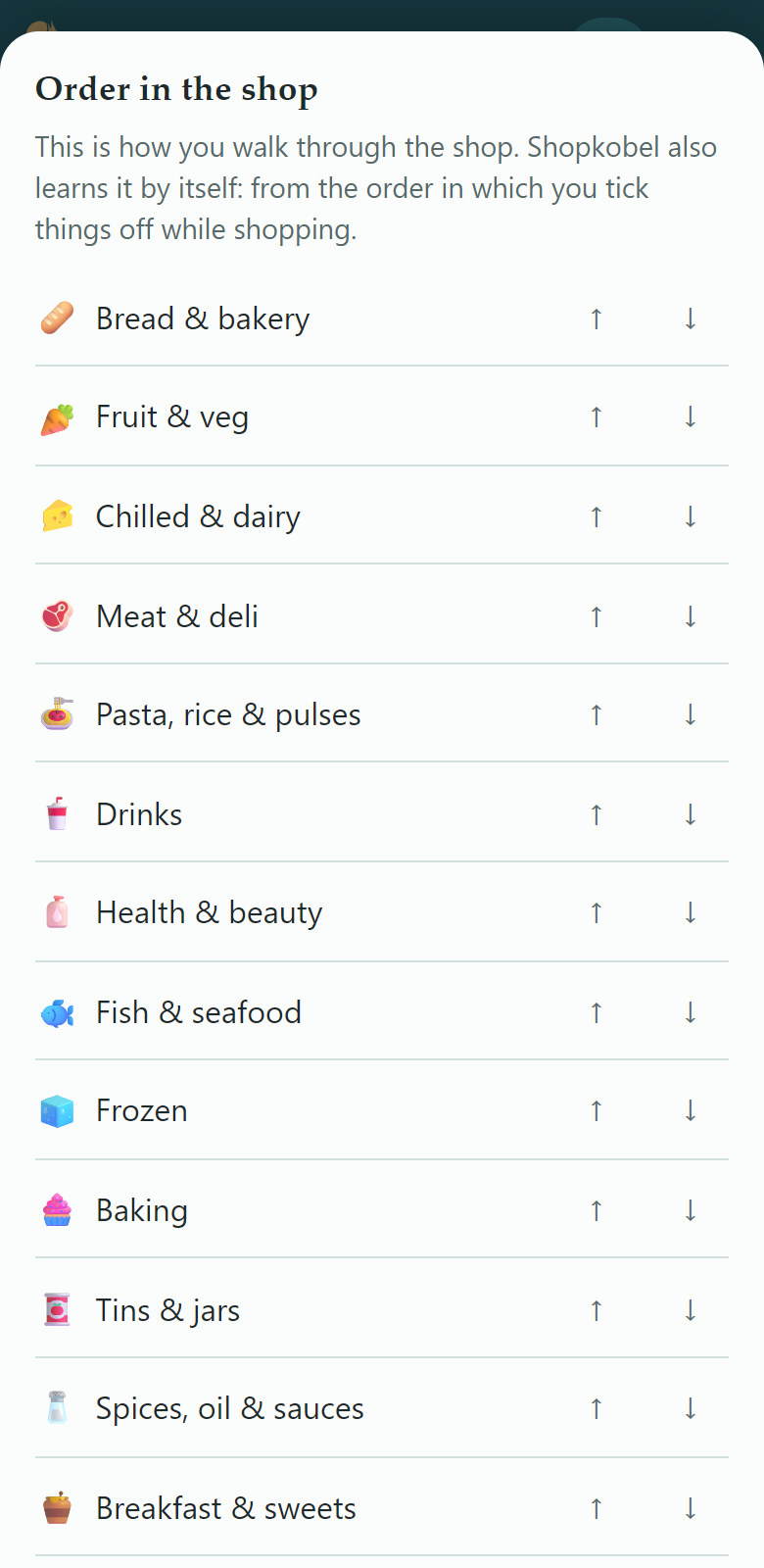
There's nothing to set up: Shopkobel notices the order in which you tick things off – first the bread, then fruit and veg, then the chilled aisle. Next time the list is in exactly that order, no more doubling back.
Want it right from the start? Move the aisles into place yourself under “Order in the shop”.
In the shop: large text, the screen stays on, one tap puts an item in the basket. “Often bought” brings regulars back with a single tap.

One list for everyone
Whatever one person adds or ticks off shows up for the others too. No account, no cloud.
Scan a code
One device shows a QR code, the other scans it – done. Up to four devices share the same lists.
Straight over Wi-Fi
The devices sync directly with each other, encrypted and without a server – whenever Shopkobel is open on both.
Real time on the go
If you like, on the go as well: through a mailbox that only passes changes on encrypted, can't read them and keeps nothing.
From recipe to shopping basket
Shopkobel is part of the Kobel family: three apps, one path. They talk to each other right on your device – no account, no server.

 Cookobel
Plan the week
You plan the week's meals. Cookobel adds up all the ingredients and leaves out what you already have at home.
“Send to Shopkobel” Shopkobel
Finish the list
Shopkobel asks which list the ingredients should go to and sorts them by aisle, next to whatever you've spoken in yourself. Send the week again and it replaces itself instead of appearing twice.
“As a task in Todokobel” Todokobel
Don't forget the shop
“Shopping: weekly shop” sits among your tasks. One tap on it opens the list in Shopkobel.
“Open in Shopkobel”- Shopkobel → Cookobel
Shop and report back
In the shop you tick things off. What's in the basket you report to Cookobel with one tap – and it's ticked off there too.
“Report bought items to Cookobel”
Edit on your PC
The big weekly list is easier to write on a PC: on the same Wi-Fi, open Shopkobel in the browser and connect it to your device with a QR code. Whatever you change on the PC is on your device straight away. Nothing stays in the browser.
What does Shopkobel cost?
Shopkobel is free and stays free. If you want more, you buy the full version once – no subscription, no ads.
Free
€0
- Typing, several items at once
- Sorting by aisle
- 2 lists
- Wi-Fi sync with one more device
- Shopping from Cookobel
- Daily backup on your device
Full version
€4.99 one-off, for the whole household
- Speak your shopping, item by item
- Read screenshots
- As many lists as you like
- Share the lists on up to 4 devices
- Real-time sync on the go
- Edit on your PC
- Learn the order of your shop
- All designs
Everything is free for the first 21 days. Try it all for three weekly shops. Afterwards Shopkobel stays free: all your lists stay saved, you keep using two, and the others rest until you get the full version.
Questions
Do I need an account?
No. Shopkobel asks for neither a name nor an email address.
Where are my lists?
On your devices. Once a day Shopkobel backs them up on its own to the “Download/Shopkobel” folder; with that file they also move to a new device.
Does the full version cover everyone in the household?
Yes. One person buys it, and it covers every device that shares your lists.
What happens after the 21 days?
Shopkobel carries on for free, with Wi-Fi sync with one more device. All your lists stay saved; you choose two to keep using, and the others rest – you can view and share them and swap at any time. With the full version they're all back.
Does Shopkobel understand me when I speak?
Yes. It works best if you say one item, pause briefly and then say the next – when you're finished, say “done”. Very short words are harder for speech recognition; an amount or a kind helps: “10 eggs” rather than “eggs”, “plain flour” rather than “flour”.
Is there Shopkobel for iPhone?
Not yet – Shopkobel comes to Android first.